
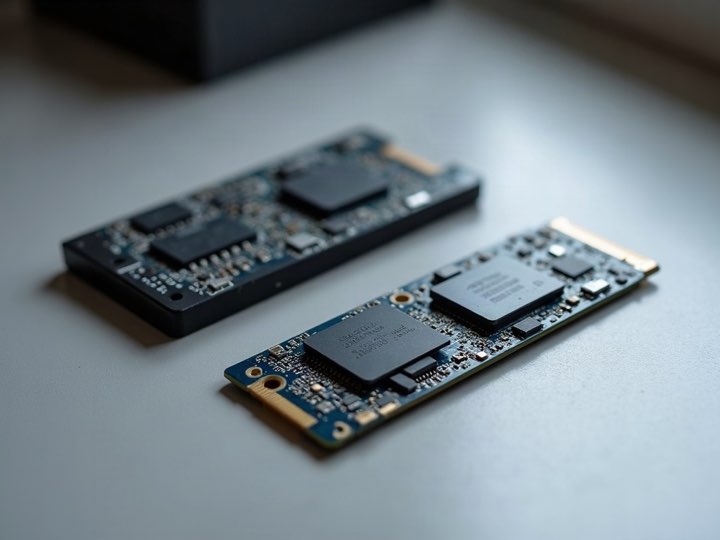
Why overwriting misses
A mechanical drive is straightforward: logical block 5,000 is a physical spot on a platter, so writing zeros to it puts zeros there.
An SSD does not work that way. Its controller spreads writes across the flash to wear the cells evenly, so the physical location behind a logical block moves constantly. Every drive also carries spare capacity the operating system cannot address at all.
-
Wear levelling
Means an overwrite usually lands on a different physical cell than the one holding the old copy.
-
Over-provisioning
Keeps a slice of flash permanently outside the addressable range, where an overwrite cannot go.
-
Remapped blocks
Retired for wear still hold whatever was on them, and are no longer reachable.
So a tool that writes zeros to every visible block leaves recoverable data behind on flash, while doing exactly what it promises on a hard drive. Same tool, different outcome.
The three methods that do work
-
The drive's own secure-erase command
ATA Secure Erase, or Format NVM on an NVMe drive, instructs the controller to clear every cell including the ones you cannot address. It is the correct instruction rather than a workaround.
-
Cryptographic erase
Most modern SSDs encrypt everything as it is written. Discarding the key makes the entire drive unreadable in seconds, whatever cells the data sits in.
-
The manufacturer's utility
Samsung Magician, Crucial Storage Executive, WD Dashboard and their equivalents wrap one or both of the above in a supported interface, which is the practical route for most people.
All three finish in seconds or minutes rather than hours, because none of them is writing across the whole drive.
What about TRIM?
TRIM tells the drive which blocks the filesystem no longer needs so it can erase them ahead of the next write. It is a performance feature and it does clear a lot of deleted data as a side effect.
It is not a security control. It runs on the drive's schedule, it does not cover data still referenced by the filesystem, and nothing reports when it has finished. Useful, but not something to rely on before handing a drive over.
And mechanical drives?
Overwriting is the right method there, and one full pass is enough. The thirty-five-pass routine still quoted online was designed for the encoding used by 1990s drives and has not applied to anything modern for decades.
The practical difference: an SSD is erased by instruction, a hard drive by overwriting. Using the hard-drive method on flash is the common mistake.
SSD
Erased by instruction: the controller’s own secure-erase command reaches every cell.
Hard drive
Erased by overwriting: one full pass replaces what was on the platter.
What we do with the drives we buy
Every drive we buy is securely erased at no charge, by the method appropriate to the drive rather than one routine applied to everything. Ask and you get a printed Certificate of Data Destruction before you leave.
Drives that fail their health check are not purchased at all, which is worth knowing before you pull one out of a machine to sell separately.
Common questions
Is an SSD less safe to sell than a hard drive?
No. If anything it is easier to clear properly, because a cryptographic erase is instant and complete. It just needs the right method.
Can data be recovered from an SSD after a proper secure erase?
Not by any means available to a normal buyer. The concern with flash is the wrong method being used, not the right one failing.
Do you erase the drive if I sell the whole computer?
Yes, every drive, at no charge. You can also keep it and sell the machine without it, which lowers the offer by a known amount.
How do I check my SSD is healthy first?
CrystalDiskInfo reads the drive's own SMART data and reports a status in one line. The walkthrough is here.